
Migrate your APIs to Oracle Cloud API Gateway with Oracle Integration
Introduction
Objectives
Prerequisites
Task 1: Understand your Source API data structure

[ {
  "API_NAME" : "cep",
  "TYPE" : "REST",
  "METHOD" : "GET",
  "PATH_PREFIX" : "/okecep",
  "PATH" : "/cep",
  "ENDPOINT" : "http://129.153.138.208/cep",
  "QUERY_PARAMETERS" : "cep",
  "GROOVY_SCRIPT" : "",
  "AUTHENTICATION_TYPE" : "BASIC",
  "ENVIRONMENT" : "QA",
  "HEADER" : "",
  "HEADER_VALUE" : ""
}, {
  "API_NAME" : "calculator",
  "TYPE" : "SOAP",
  "METHOD" : "POST",
  "PATH_PREFIX" : "/dneonline",
  "PATH" : "/calculator",
  "ENDPOINT" : "http://www.dneonline.com/calculator.asmx",
  "QUERY_PARAMETERS" : "",
  "GROOVY_SCRIPT" : "",
  "AUTHENTICATION_TYPE" : "BASIC",
  "ENVIRONMENT" : "DEV",
  "HEADER" : "",
  "HEADER_VALUE" : ""
} ]
Task : Understand the OCI API Gateway Deployment Data
 {
    "requestPolicies": {
      "authentication": {
        "type": "CUSTOM_AUTHENTICATION",
        "tokenHeader": "",
        "tokenQueryParam": "",
        "tokenAuthScheme": "authentication-scheme",
        "isAnonymousAccessAllowed": false,
        "functionId": "ocid1.fnfunc.oc1.phx.aaaaaaaaac2______kg6fq",
        "maxClockSkewInSeconds": 0,
        "validationPolicy": {
          "type": "REMOTE_DISCOVERY",
          "clientDetails": {
            "type": "CUSTOM",
            "clientId": "client-id",
            "clientSecretId": "secret-ocid",
            "clientSecretVersionNumber": 0
          },
          "sourceUriDetails": {
            "type": "DISCOVERY_URI",
            "uri": "well-known-uri"
          },
          "isSslVerifyDisabled": true,
          "maxCacheDurationInHours": 0,
          "additionalValidationPolicy": {
            "issuers": ["issuer-url", "issuer-url"],
            "audiences": ["intended-audience"],
            "verifyClaims": [{
              "key": "claim-name",
              "values": ["acceptable-value", "acceptable-value"],
              "isRequired": true
            }]
          }
        },
        "tokenHeader": "Authorization",
        "validationPolicy": {
          "type": "REMOTE_DISCOVERY",
          "clientDetails": {
            "type": "CUSTOM",
            "clientId": "5hsti38yhy5j2a4tas455rsu6ru8yui3wrst4n1",
            "clientSecretId": "ocid1.vaultsecret.oc1.iad.amaaaaaa______cggit3q",
            "clientSecretVersionNumber": 1
          },
          "sourceUriDetails": {
            "type": "DISCOVERY_URI",
            "uri": "https://my-idp/oauth2/default/.well-known/openid-configuration"
          },
          "isSslVerifyDisabled": false,
          "maxCacheDurationInHours": 2,
          "additionalValidationPolicy": {
            "issuers": ["https://identity.oraclecloud.com/"],
            "audiences": ["api.dev.io"],
            "verifyClaims": [{
              "key": "is_admin",
              "values": ["service:app", "read:hello"],
              "isRequired": true
            }]
          }
        }
      },
      "mutualTls":{
        "isVerifiedCertificateRequired": true,
        "allowedSans": ["api.weather.com"]
      }
    },
    "routes": [
      {
        "path": "/weather",
        "methods": ["GET"],
        "backend": {
          "type": "HTTP_BACKEND",
          "url": "https://api.weather.gov/${request.auth[region]}"
        },
        "requestPolicies": {
          "authorization": {
            "type": "ANY_OF",
            "allowedScope": [ "weatherwatcher" ]
          },
          "headerValidations": {
            "headers": {
              "name": "header-name",
              "required": true
            },
            "validationMode": "ENFORCING|PERMISSIVE|DISABLED"
          },
          "queryParameterValidations": {
            "parameters": {
              "name": "query-parameter-name",
              "required": true
            },
            "validationMode": "ENFORCING|PERMISSIVE|DISABLED"
          },
          "bodyValidation": {
            "required": true,
            "content": {
              "media-type-1": {
                "validationType": "NONE"
              },
              "media-type-2": {
                "validationType": "NONE"
              }
            },
            "validationMode": "ENFORCING|PERMISSIVE|DISABLED"
          },
          "headerTransformations": {
            "renameHeaders": {
              "items": [
                {
                  "from": "original-name",
                  "to": "new-name"
                }
              ]
            },
            "setHeaders": {
              "items": [
                {
                  "name": "header-name",
                  "values": ["header-value"],
                  "ifExists": "OVERWRITE|APPEND|SKIP"
                }
              ]
            }
          },
          "queryParameterTransformations": {
            "filterQueryParameters": {
              "type": "BLOCK|ALLOW",
              "items": [
                {
                  "name": "query-parameter-name"
                }
              ]
            },
            "renameQueryParameters": {
              "items": [
                {
                  "from": "original-name",
                  "to": "new-name"
                }
              ]
            },
            "setQueryParameters": {
              "items": [
                {
                  "name": "query-parameter-name",
                  "values": ["query-parameter-value"],
                  "ifExists": "OVERWRITE|APPEND|SKIP"
                }
              ]
            }
          }
        },
        "responsePolicies": {
          "headerTransformations": {
            "filterHeaders": {
              "type": "BLOCK|ALLOW",
              "items": [
                {
                  "name": "header-name"
                }
              ]
            },
            "renameHeaders": {
              "items": [
                {
                  "from": "original-name",
                  "to": "new-name"
                }
              ]
            },
            "setHeaders": {
              "items": [
                {
                  "name": "header-name",
                  "values": ["header-value"],
                  "ifExists": "OVERWRITE|APPEND|SKIP"
                }
              ]
            }
          }
        }
      }
    ]
  }
Task 2: Create Connections
There are 2 connections we need to create. First connection is the Trigger REST Connection. This connection will be used to expose an endpoint in Oracle Integration. With this endpoint, you can call the migration process as a REST service, passing the source data of your APIs.
The second connection will be used to call the OCI API Gateway REST service to create your APIs deployments. The OCI API Gateway REST documentation can be read here: Deploying APIs via REST
If you don't know how to create an Oracle Integration Connection, you can view here: Create a REST Connection
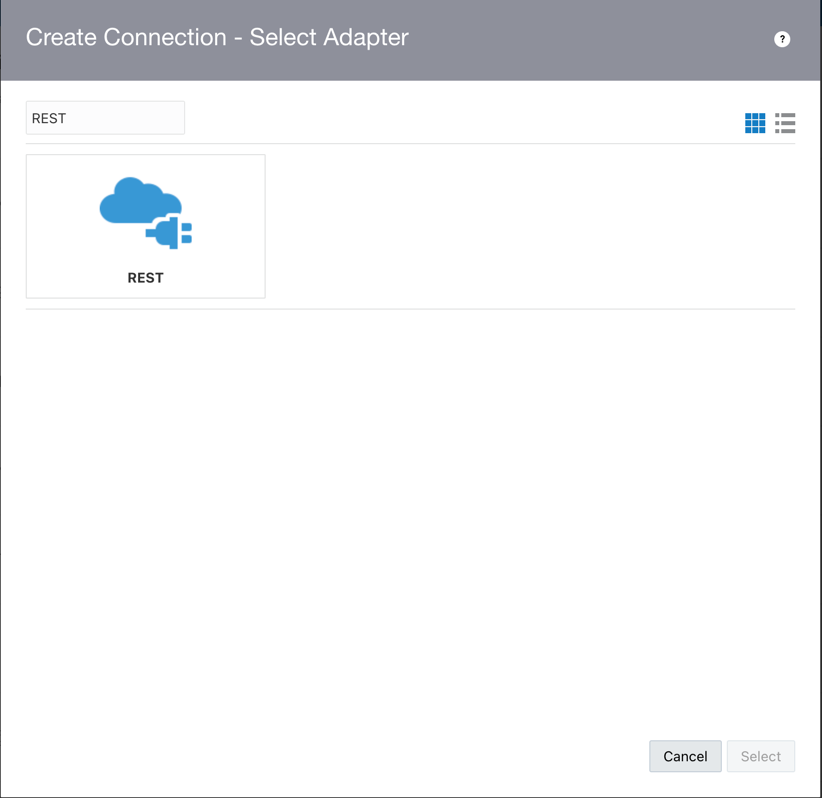
- Search the REST Adapter:
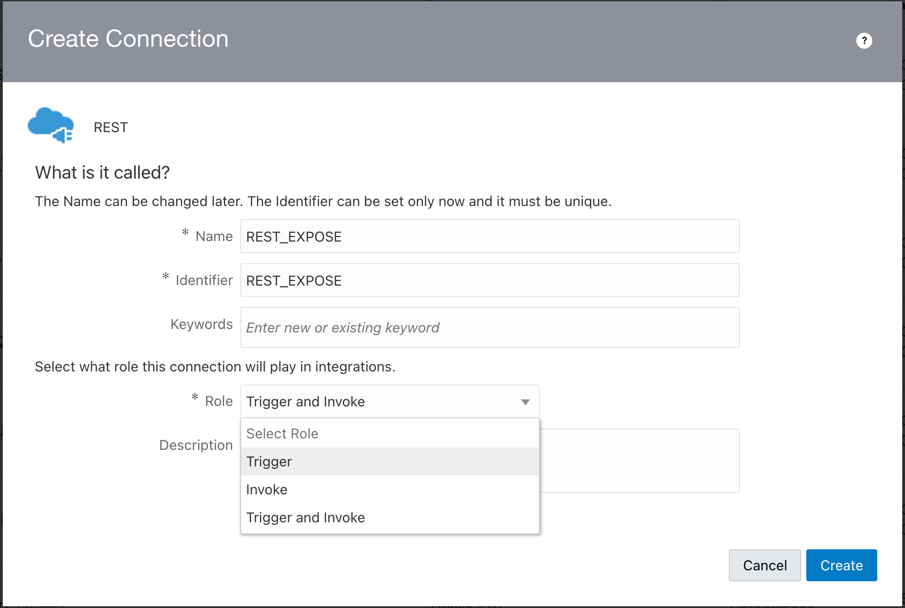
- Give a name and identifier, for example, give the name "REST_EXPOSE". This is the first connection. Select the Trigger Role. Trigger Role means you will expose the connection as a REST endpoint.
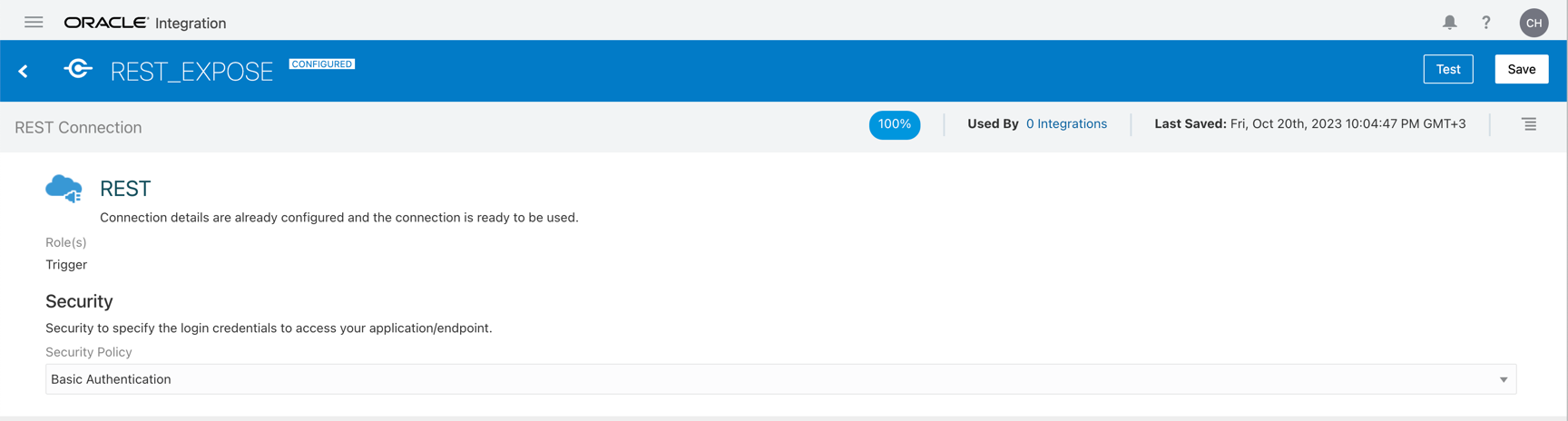
- For your Trigger Endpoint, you can execute a request with the Oracle Integration Basic Authentication. So, you can use an username and password.
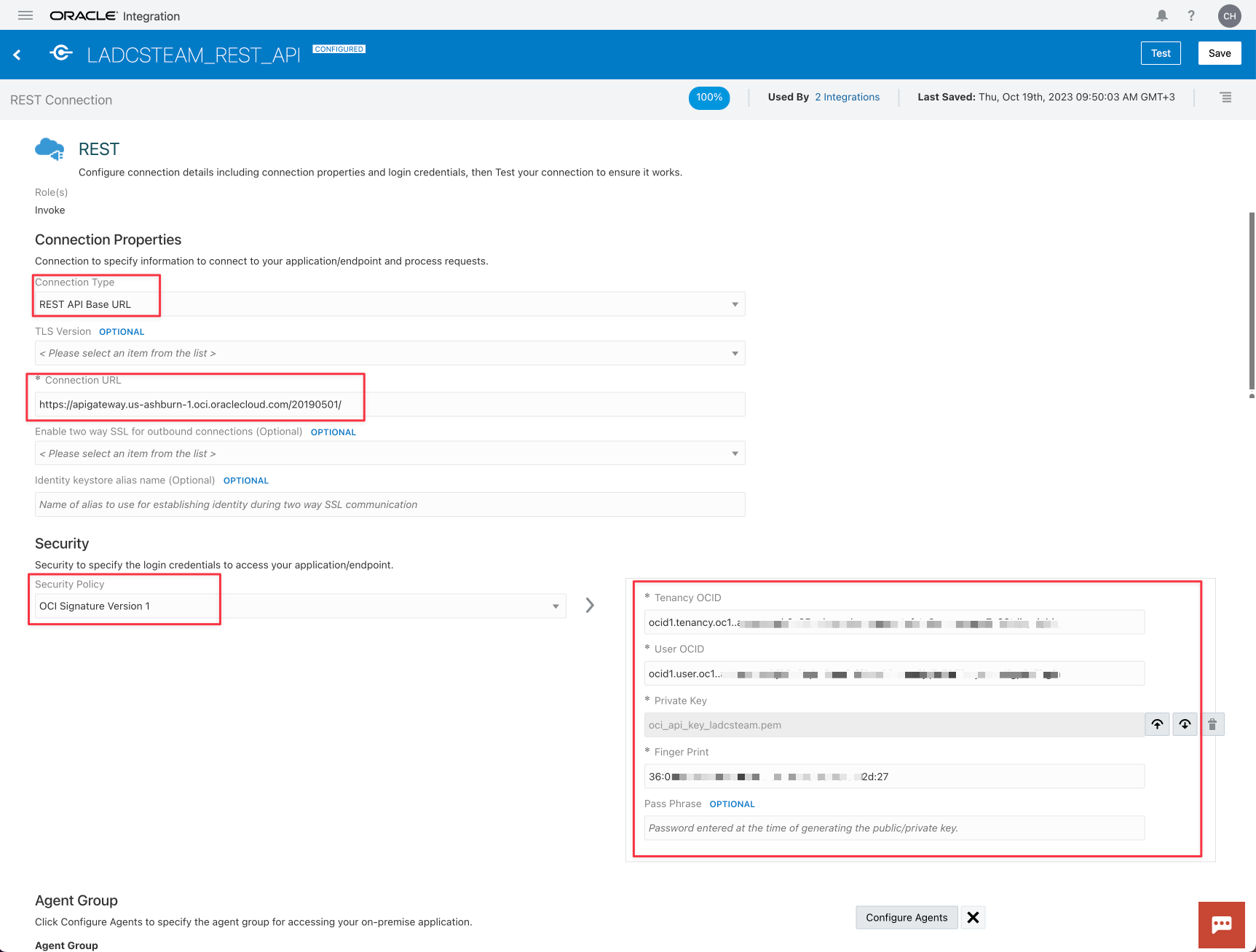
- In the second connection, as you did in the first connection, give a name and identifier (for example, "APIGW_REST_API"). Select the proper OCI API Gateway REST for your region (in the example, the region is Ashburn). See here to view the proper endpoint for your region OCI API Gateway endpoints. Obtain your OCI Credentials to provide access to the OCI API gateway services.


Task 3: Create the Integration
The process of migrate your APIs source metadata to the OCI API Gateway is:
- Expose the Trigger as a REST Service in Oracle Integration
- Initialize the Targets OCI API Gateways (environments like QA and DEV)
- Initialize the Compartments for the targets
- Execute a Loop to process all APIs in the source metadata
- Translate the source metadata to the OCI API Gateway metadata
- Execute a Request REST Service to the OCI API Gateway

- Expose your Integration with your Trigger REST Connection created previously

-
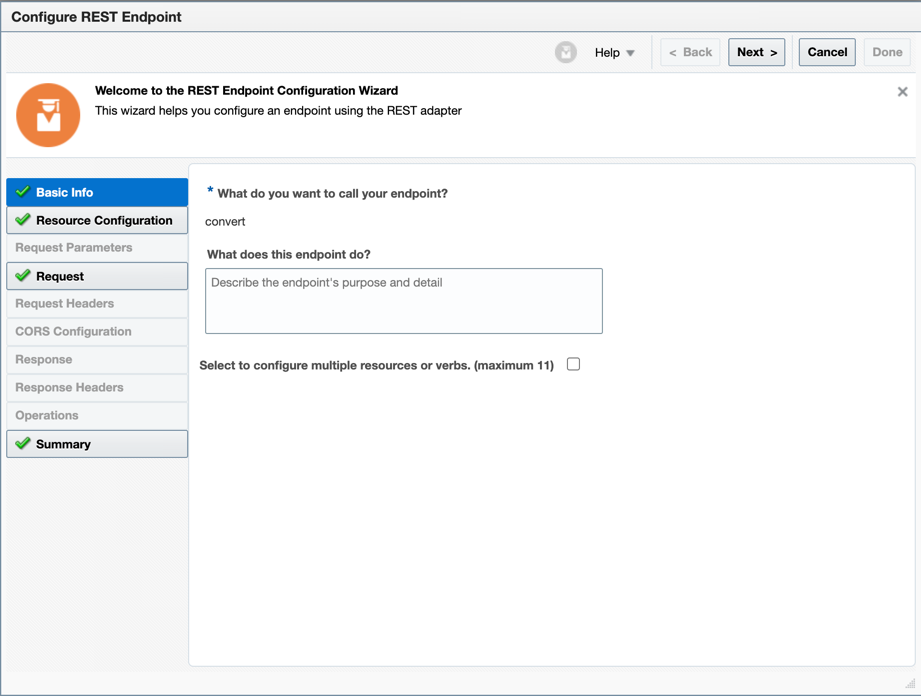
Give a name to your request endpoint
-
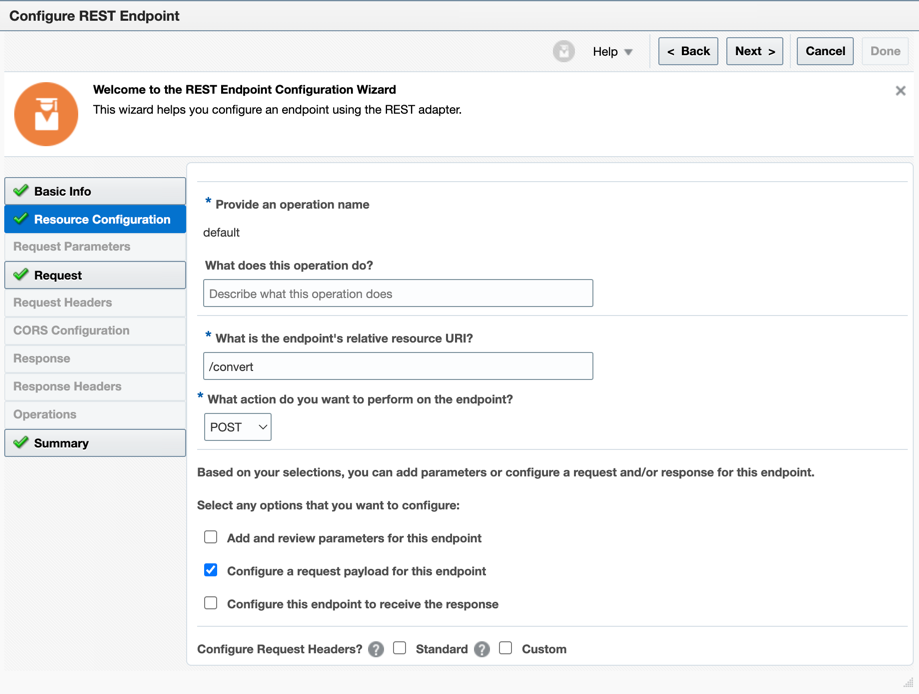
Give a path (for example, /convert) and select the POST method. Remember to stablish a request payload.
-
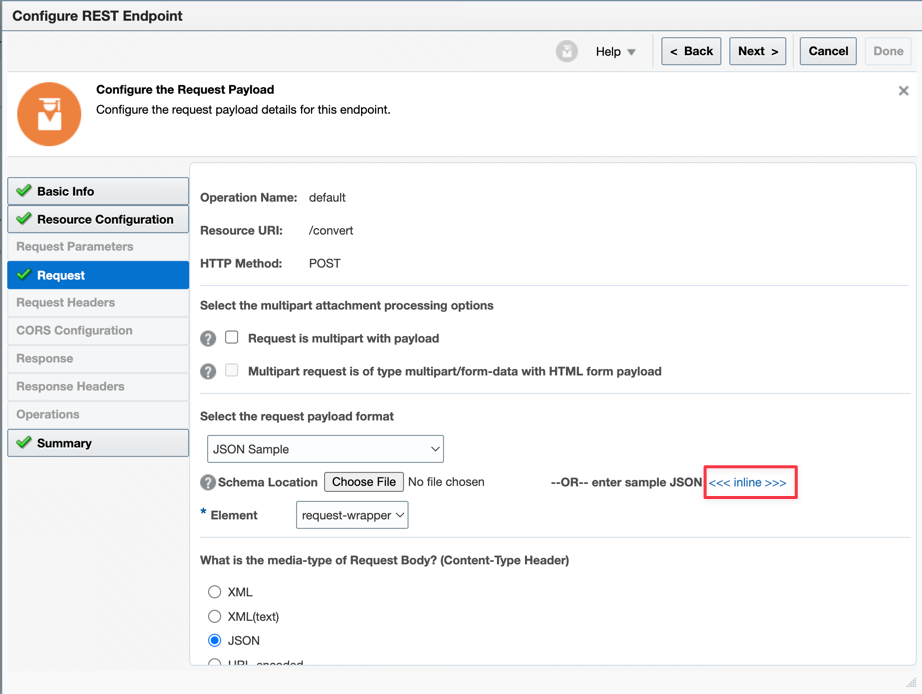
Now you can select the "JSON Sample" and paste your JSON source structure
-
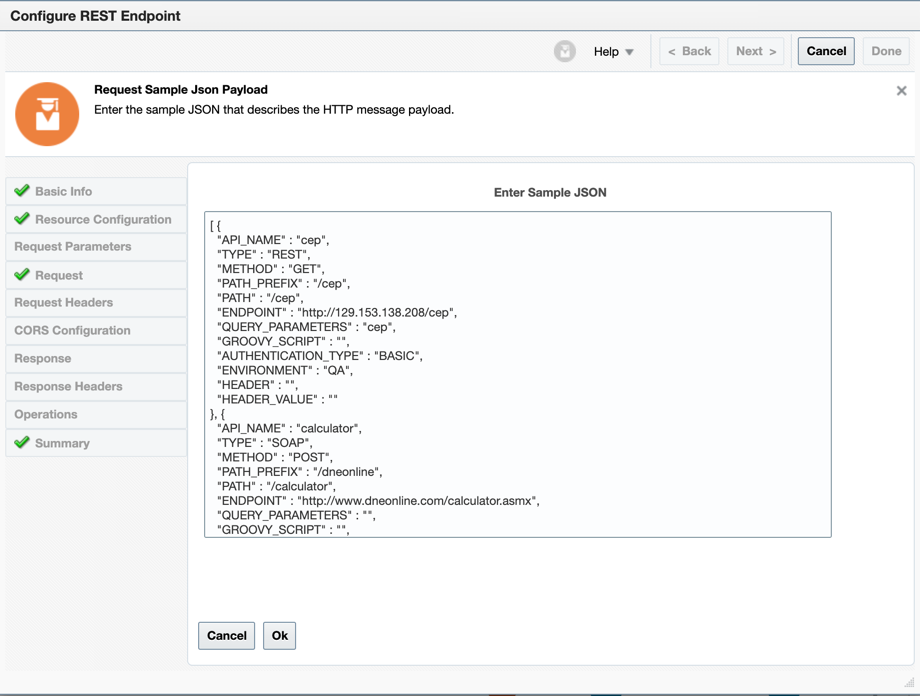
Paste the JSON here
-
Now let's initialize the variables for your API Gateways instance (each environment is a new API Gateway instance). Create a variable for the METHOD. Remember you can use several methods in REST (GET, POST, PUT, DELETE, ANY) and need to use POST in SOAP Services.


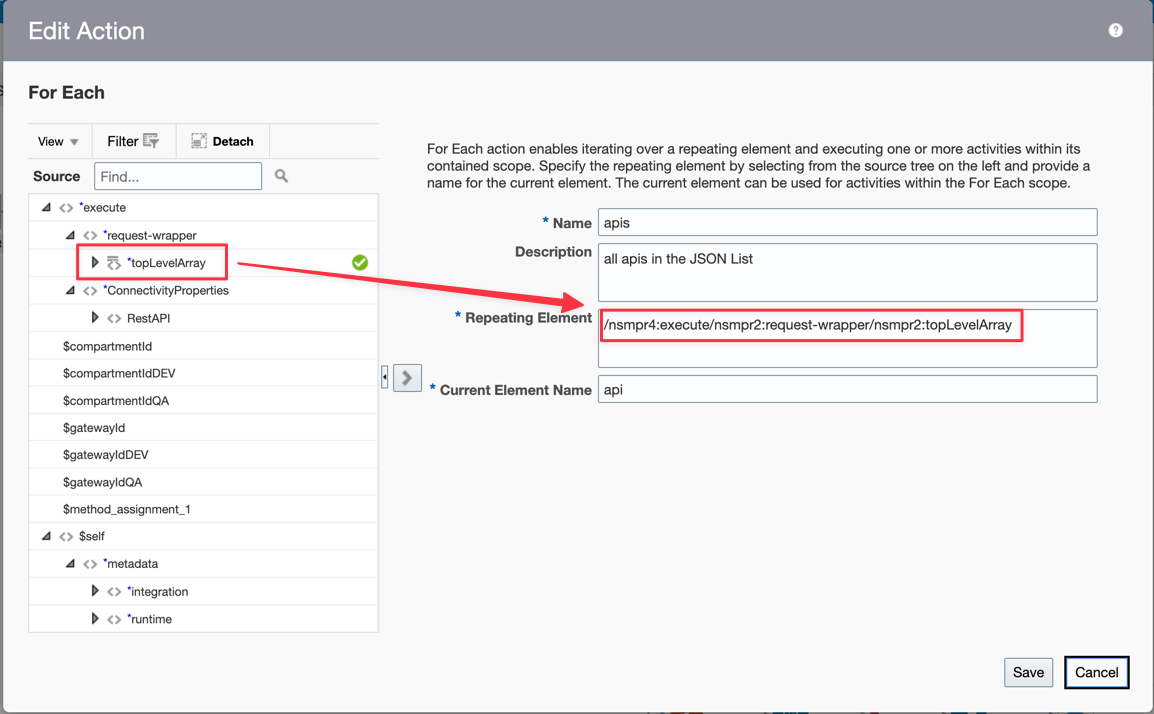
- Create a FOR EACH Loop. This will process the source JSON list

-
Edit the For Each Action and drag and drop your Loop Level Array to the "Repeating Element" Attribute
-
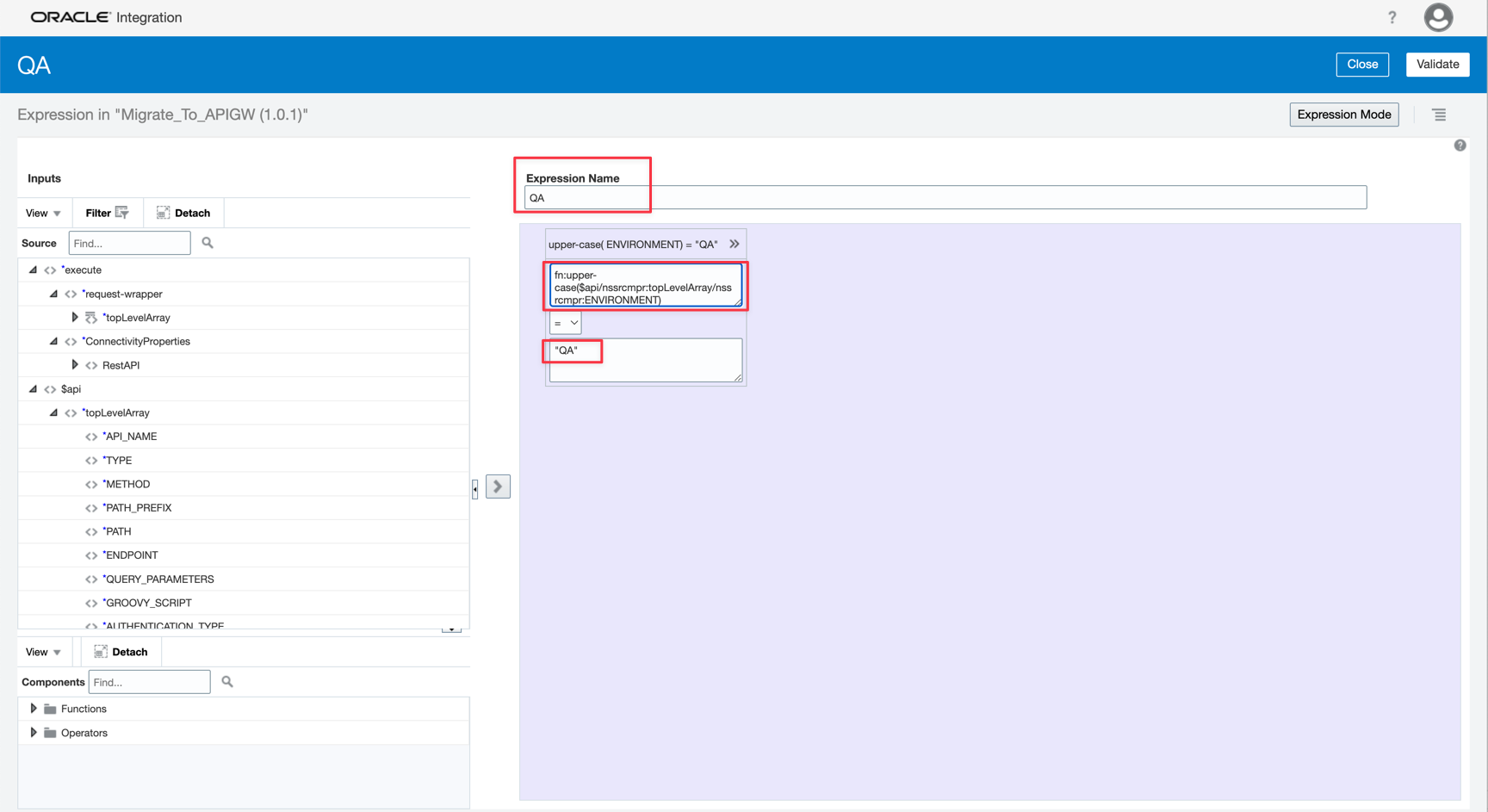
Now let's configure the environment redirection. Create a Switch Action and put the IFs and the assignments for each condition.


- Create the first condition for the QA environment

-
Verify in the source metadata ENVIRONMENT attribute and test if has "QA" value.
-
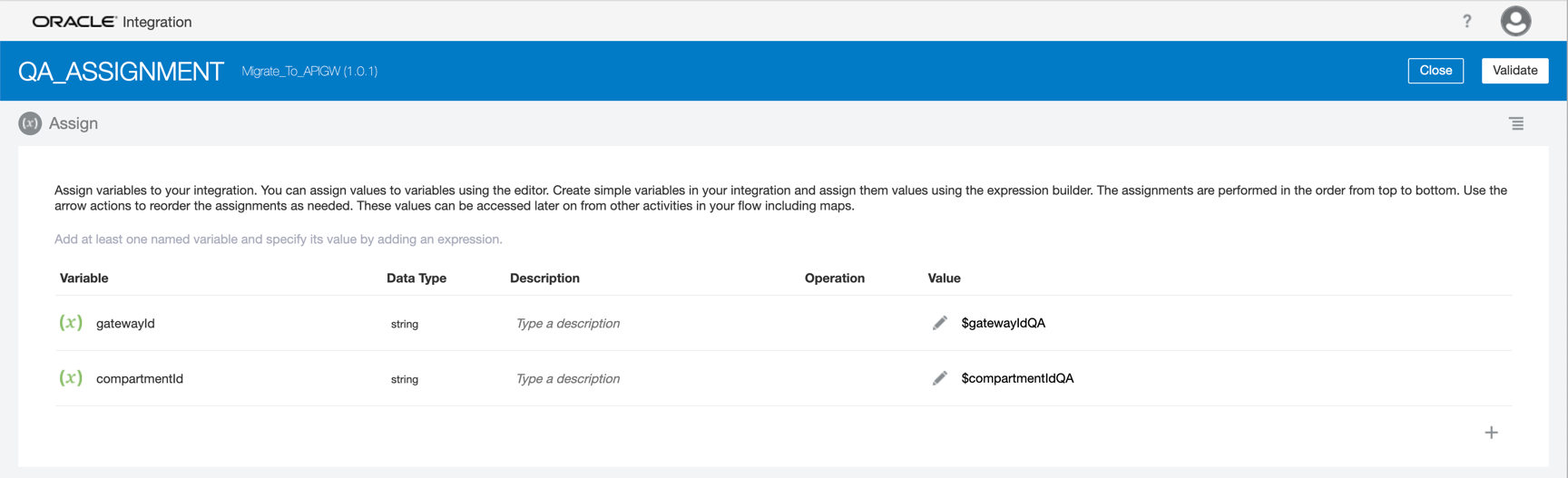
If the condition is true, you need to assign the correct environment. A GatewayID and CompartmentID is an OCID value. You need to assign the correct IDs to the variables.
-
Do the same for the other environments


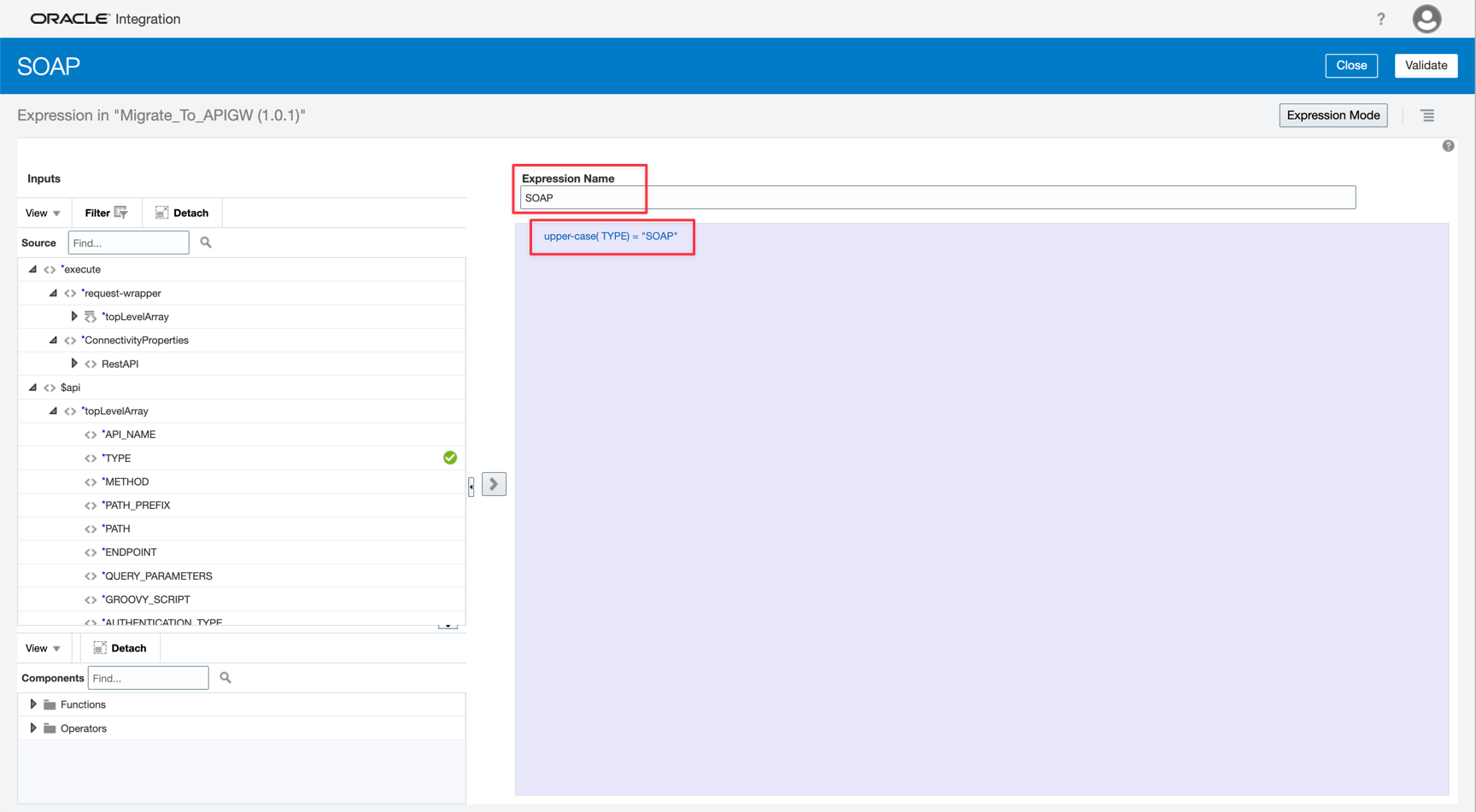
- Now let's view if your API is a REST or SOAP service. If your API is a SOAP service, you must configure the Method as POST.

-
Create an IF condition to test the service type
-
Assign the POST value to the method variable


- In other situations, the source attribute gives the correct method


- Let's map the source metadata attributes to the OCI API Gateway parameters. Before the mapping action, you need to configure the OCI API Gateway REST Adapter.

- Configure first the connection

- Give a name for this service. The path must be /deployments and the method must be POST. Remember to configure the request payload.

- You can't paste the JSON OCI API Gateway structure because of the large size of it. So you need to upload a file with the content. The complete JSON Structure is here apigw_structure.json

- And finally, map the target metadata

You can see the Oracle Integration artifact here OIC Migrate you Source API to OCI API Gateway. This example of artifact does not intend to be used as a final process to your migration and has only the objective to illustrate the process. Use this artifact to guide your real implementation.
Task : Test the migration


